
The basic idea
Horcrux 5 supports complete local, SFTP, and Amazon S3 Backup Locations. See the Backup Locations guide.
The Horcrux Library is not a Backup Location
The Horcrux Library is required working data on this Mac: account settings, mailbox and message catalogs, content-search indexes, job history, logs, and saved Backup Location records. Keep it on reliable internal storage so Horcrux can open it whenever the app runs.
Your saved email copies belong in separately chosen Backup Locations. Moving or reconnecting the Horcrux Library does not move those copies, and choosing the Horcrux Library does not automatically create a Backup Location.
What Horcrux saves
Horcrux saves each email as a standard message file, plus readable information that records which messages belong to each mailbox and backup. Attachments remain inside their original messages.
- Your saved mail lives in the Backup Locations you choose.
- Your account password or authorization is stored in Apple Keychain.
- Your email does not pass through Horcrux servers.
- Catalogs and search data in the Horcrux Library can be rebuilt from a valid Backup Location and are not the saved mail itself.

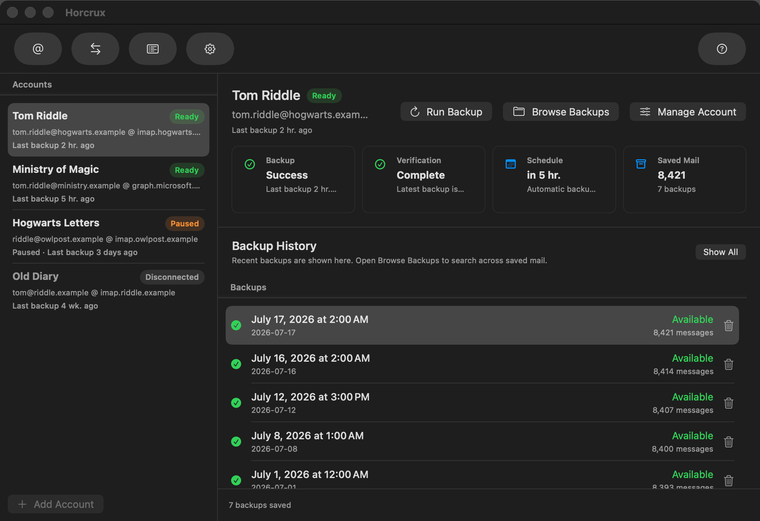
Choose what history to keep
| Backup type | What it means | Best for |
|---|---|---|
| Email Archive | Keeps every email Horcrux has backed up in one searchable collection, even if you later delete it from the account. It does not preserve dated views of the mailbox. | Long-term retention of every backed-up message. |
| Backup History | Keeps dated versions of the mailbox so you can browse or restore it as it looked on an earlier day. Storage use grows as more history is retained. | Returning to an earlier mailbox state. |
Email Archive is selected for new accounts. You can change the type later through Manage Account → Backup Type. Horcrux creates and verifies the new representation first, then asks whether to keep or remove the old files. A cancellation or failure leaves the previous type active.
What happens during each backup
- Horcrux connects directly to the provider and lists the selected mailboxes.
- It checks which messages are already saved.
- It downloads only the messages the backup still needs.
- It writes the messages and mailbox membership needed by the new backup revision.
- It verifies the saved result before recording the revision as complete.
- It updates Browse and records the result in Jobs.
Interrupted work is reusable. Horcrux keeps the previous completed revision visible until the next one is safely committed. With multiple locations, the same revision and its per-location results follow a more detailed commit process described in the multi-location backup guide.
Search indexes help you find mail
Horcrux keeps a committed catalog in the Horcrux Library so Browse can list mailboxes, messages, dates, senders, subjects, and attachments quickly. You can also enable an optional content index to search inside message bodies.
Deleting or rebuilding an index does not delete saved mail. Horcrux can reconstruct catalog and search information from a complete Backup Location.